Students
Turn YouTube into a study space with subject Chambers, Study Mode for educational sessions, Detox tools for noisy pages, and Vaults for lectures and revision material.
 TubeHive
Get TubeHive
TubeHive
Get TubeHive
YouTube organizer Chrome extension
Organize YouTube subscriptions into focused Chambers, save important videos using Vaults, build custom Decks, and reduce distractions while you watch, study, or research using Focus mode.

Everything has a place
TubeHive turns subscriptions, playlists, saved videos into a cleaner YouTube workspace.
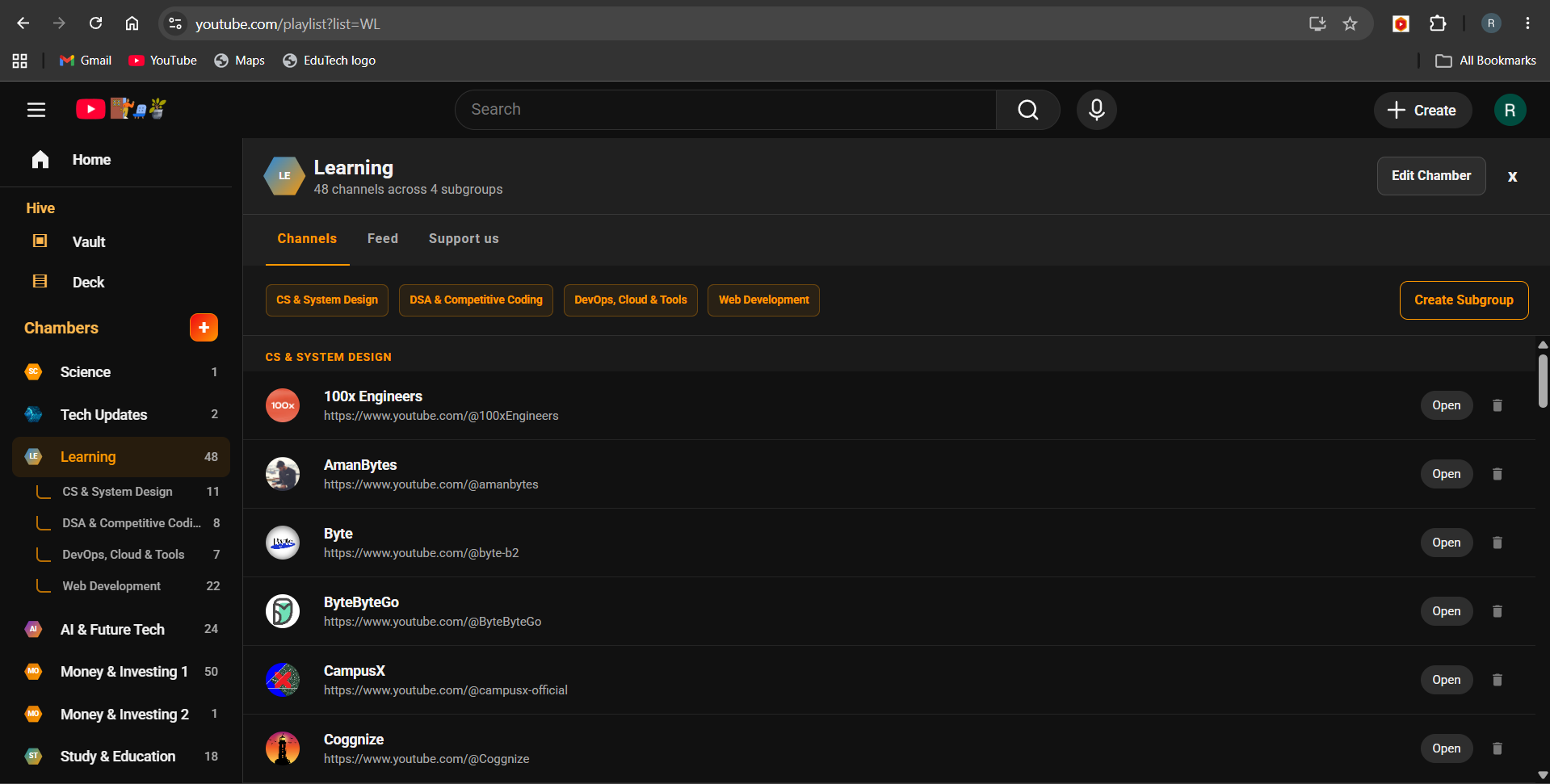
Group subscribed channels into focused spaces like Tech, Study, Money, Fitness, News, or Creative.
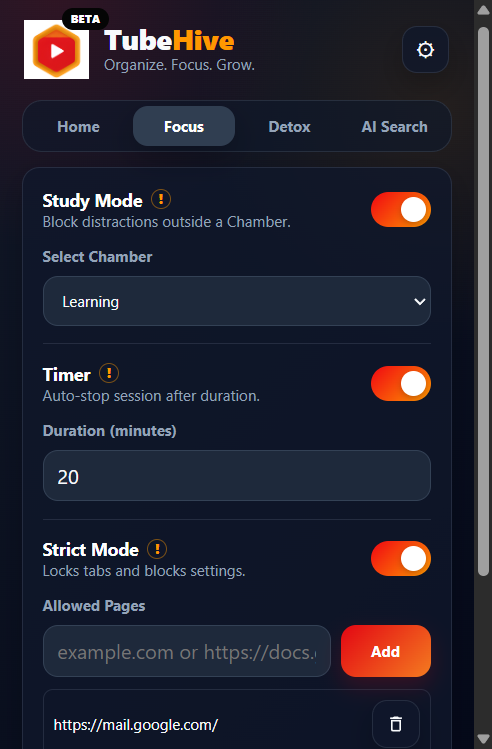
Keep YouTube aligned with the channels and topics you intentionally choose.
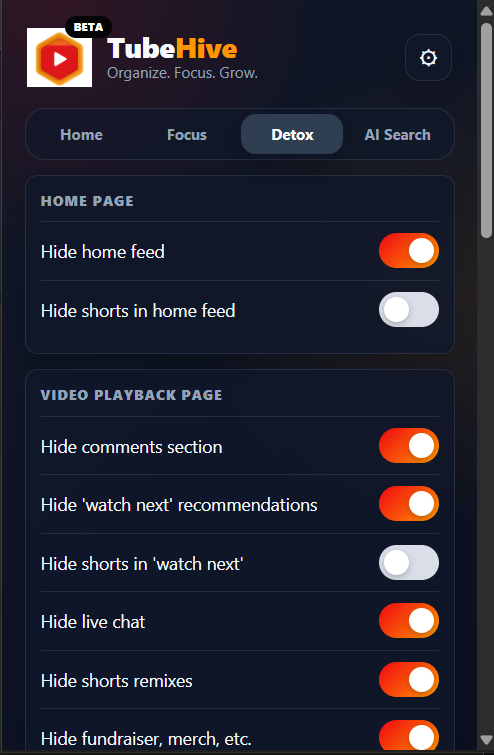
Hide Shorts, comments, recommendations, search distractions, live chat, and other noisy surfaces.
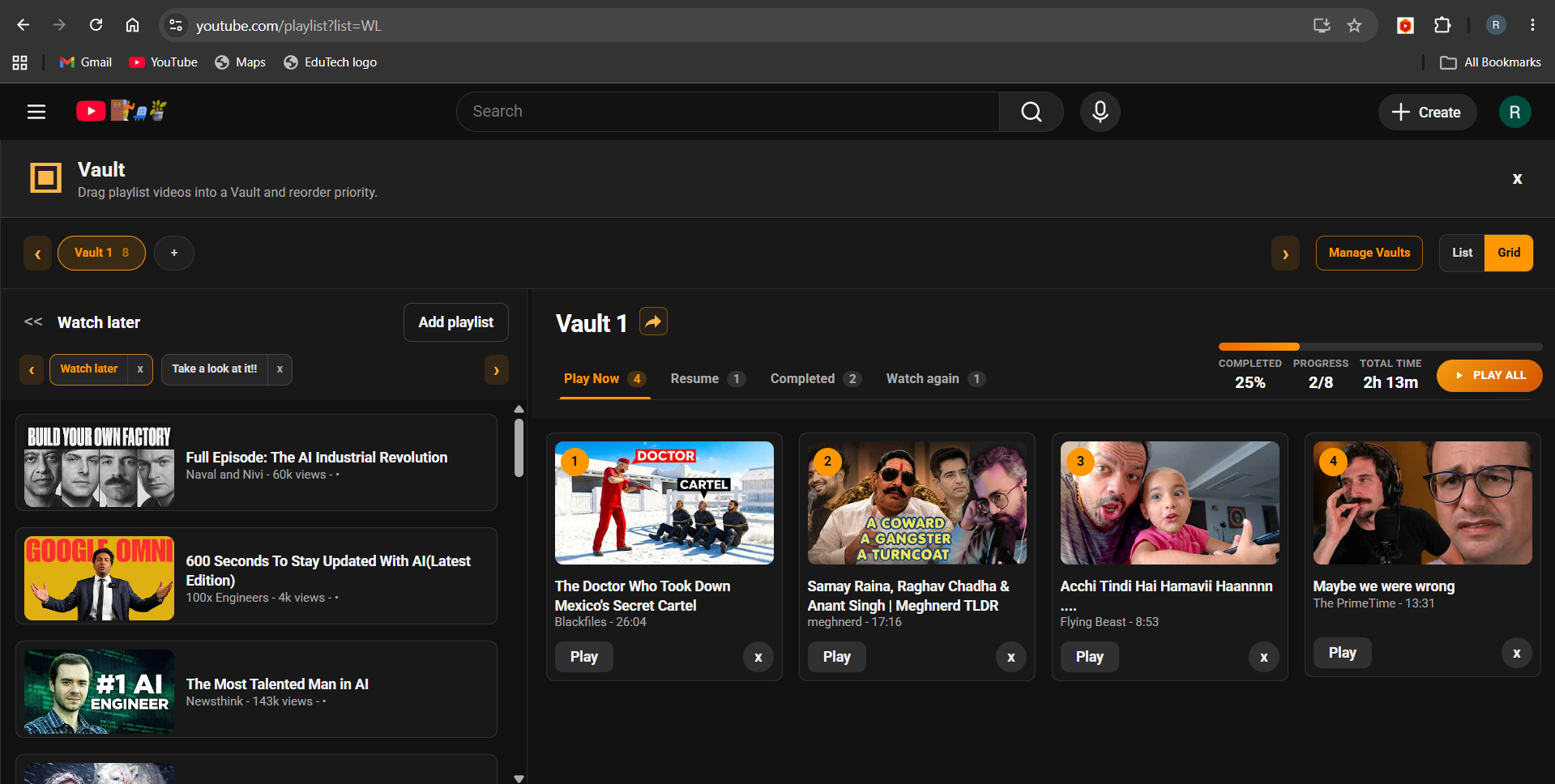
Save useful videos into a personal library for tutorials, research, inspiration, or revision.
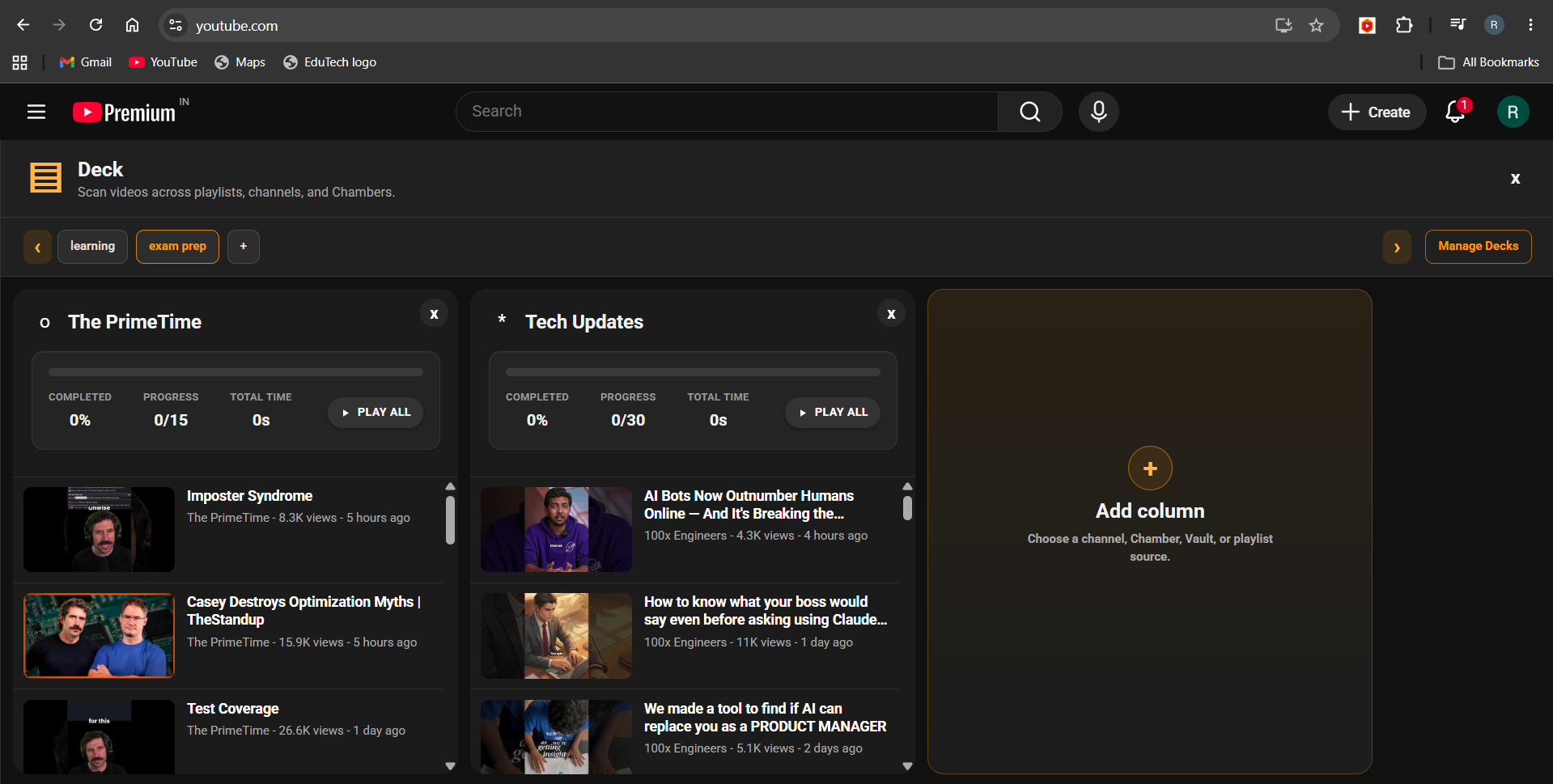
Create custom video boards from playlists, Chambers, groups, and saved videos for organized watching.

Search similar creators with AI and discover channels that match your interests faster.
Use cases
Turn YouTube into a study space with subject Chambers, Study Mode for educational sessions, Detox tools for noisy pages, and Vaults for lectures and revision material.
Organize coding channels into Chambers like web development, DSA, system design, DevOps, AI tools, and programming languages, then save tutorials and project resources using vault and deck
Use TubeHive as a research workspace for competitor analysis, thumbnail references, editing inspiration, content ideas, and podcast preparation without drifting into endless watching.
Build focused knowledge spaces for finance, startups, marketing, AI, productivity, and industry news, then turn interviews and case studies into repeatable research workflows.
Collect talks, explainers, interviews, documentaries, and reference videos into organized Chambers and Decks so YouTube becomes easier to use for deep research.
Create learning spaces for skills, hobbies, health, language, productivity, and personal growth while using Detox and Focus to keep sessions intentional.
FAQ
Most TubeHive data stays locally in your browser, including Chambers, Vaults, Decks, Study Mode settings, Detox settings, and local progress. TubeHive may store a unique list of discovered YouTube channels to improve Auto Organize, but it does not store whose subscription list those channels came from.
TubeHive is free during beta and can be installed as a Chrome extension. Support options are available through TagMango and Patreon if TubeHive saves you time.
No. TubeHive does not require a TubeHive login. It works inside your browser on YouTube, which helps keep the experience simple and private.
TubeHive needs YouTube page access to show its interface, organize subscriptions, apply Study Mode, hide distractions with Detox, and support features like Chambers, Vaults, Decks, and AI Search.
Currently, TubeHive is available for Chromium-based browsers such as Chrome and other browsers that support Chrome extensions. We are working to make TubeHive available on more browsers in the future.
Free during beta
TubeHive helps you organize subscriptions, save what matters, and focus when YouTube gets noisy. If it saves you time, support the work behind it.